
BUSSID Maps & Map Mods for Bus Simulator Indonesia
Looking for BUSSID maps or map mods for Bus Simulator Indonesia?
This page brings together custom routes and driving environments for different types of gameplay,
from Indonesian mountain roads and highways to rural villages, Indian routes and Kerala-inspired
roads.
A map mod changes the roads, scenery and environment where you drive rather than replacing the
vehicle itself. That makes maps useful when you want to test a bus, truck, car or motorcycle on
a completely different route. Choose a map based on its terrain, region, difficulty and the type
of vehicle you want to use.
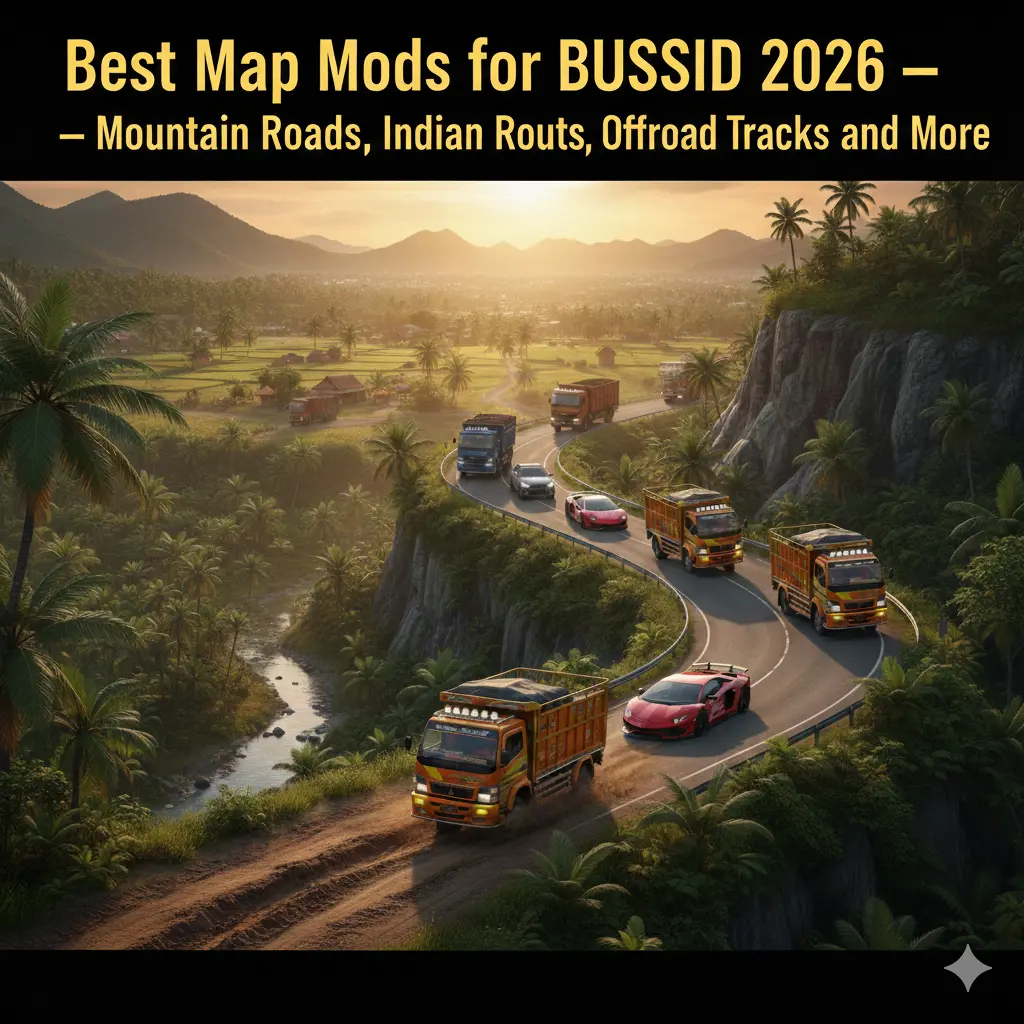
Explore BUSSID Maps
🗺️ Map Categories
⭐ Popular Maps
🇮🇳 Indian & Kerala Maps
📊 Compare Maps
🛠️ Installation
📱 Compatibility
🔧 Troubleshooting
❓ FAQ
What Are BUSSID Maps and Map Mods?
BUSSID maps are custom routes and environments created for
Bus Simulator Indonesia (BUSSID). Unlike a vehicle mod, which changes the
vehicle you drive, a map mod changes the world around you. Depending on the map, this can mean
mountain roads, steep switchbacks, highways, village routes, forests, urban roads or regional
environments.
The BUSSID community has created maps for many different driving styles. You can choose a
challenging mountain route such as Tawangmangu, a demanding Sumatra road such as Sitinjau Lauik
or Kelok 44, a highway route such as Trans Java Toll, or a more relaxed rural environment.
Indian and Kerala map resources also give players another option when using Indian buses,
trucks, cars and motorcycles.
If you want to explore the wider collection of BUSSID modifications, visit our
BUSSID Mods Hub.
For a curated comparison of the strongest map choices, see our
Best BUSSID Map Mods guide.
BUSSID Map Categories
Not every map is designed for the same type of driving. Use the categories below to find a
Bus Simulator Indonesia map that matches your preferred route and vehicle.
⛰️ Mountain Maps
Mountain maps focus on steep gradients, narrow roads, elevation changes and hairpin turns.
They are ideal for players who want a technical driving challenge.
Popular examples: Tawangmangu, Sitinjau Lauik and Kelok 44.
🛣️ Highway Maps
Highway maps provide longer and generally faster routes where you can test cruising speed,
overtaking and long-distance vehicle handling.
Popular example: Trans Java Toll / Cipali.
🌾 Rural and Village Maps
Rural maps replace busy highways with quieter countryside roads, villages, farms and regional
scenery. They work particularly well for relaxed free-driving sessions.
🇮🇳 Indian Maps
Indian map resources add routes and scenery suited to players using Indian bus, truck, car and
motorcycle mods. They are also relevant for searches around Indian and Tamil Nadu-style BUSSID
maps.
🌴 Kerala Maps
Kerala maps focus on regional roads, villages and scenery that pair naturally with KSRTC and
other Indian vehicle mods.
🪨 Offroad Maps
Offroad maps introduce rough surfaces, steep sections, mud and difficult terrain. They are best
suited to capable trucks, SUVs, motorcycles and other vehicles designed for rough routes.
🏙️ City Maps
City maps emphasize intersections, traffic, urban navigation and shorter routes. They are a good
choice when you prefer realistic city driving over mountain or highway challenges.
Popular BUSSID Maps to Explore
The following maps represent different types of driving available in the BUSSID map-mod
community. Instead of choosing only by popularity, consider the terrain and vehicle you plan
to use.
Tawangmangu Map – Mountain Hairpin Challenge
Tawangmangu is a strong starting point if you want a famous BUSSID mountain
route. Its steep sections, bends and elevation changes make it useful for testing how a bus or
truck handles difficult terrain.
It is particularly suitable for players who enjoy controlled mountain driving and want a route
that feels different from a normal highway run. If mountain roads are your main interest, compare
Tawangmangu with Sitinjau Lauik and Kelok 44 in our
detailed BUSSID map-mod guide.
Sitinjau Lauik Map – Extreme Sumatra Roads
The Sitinjau Lauik map mod focuses on steep Sumatra-style roads, consecutive
hairpins and narrow sections. It is better suited to experienced drivers than beginners who are
still learning vehicle control.
The route works especially well when you want to test braking, steering, throttle control and
vehicle stability on difficult terrain.
Kelok 44 Map – Switchback Driving
Kelok 44 is another mountain-focused BUSSID map built around a long sequence of
switchbacks. The route is a good choice when your main goal is to practice careful cornering and
controlled downhill driving.
It pairs naturally with buses and trucks that require deliberate speed management rather than
high-speed highway driving.
Trans Java Toll / Cipali Map – Long Highway Runs
If mountain routes are not your thing, a Trans Java Toll or Cipali-style highway map
offers a very different experience. Long highway sections are useful for testing cruising,
overtaking and long-distance driving with high-speed buses and trucks.
Kalimantan Forest Map – Jungle and Heavy-Truck Routes
Forest maps provide a different type of challenge, with rural roads, vegetation and routes that
can work particularly well with heavy trucks. A Kalimantan-inspired map is a good option when
you want something more remote than an urban or toll-road environment.
Village and Rural Maps – Relaxed Driving
Village and rural maps are ideal when you want to slow down and explore. These routes usually
focus more on scenery, small roads and regional environments than extreme driving difficulty.
They can also be a good match for cars, motorcycles and lighter vehicles.
Indian, Kerala and Tamil Nadu Maps for BUSSID
BUSSID map mods are not limited to Indonesian roads. Community-created resources also include
Indian-style routes and regional environments, giving players more options when using Indian
vehicle mods.
Players searching for a
Bus Simulator Indonesia mod APK Tamil Nadu map
may be looking for a South Indian road environment rather than another Indonesian mountain
route. Indian and Kerala map resources are therefore useful starting points for this type of
gameplay.
Kerala maps are especially useful with KSRTC-inspired buses and other Indian
vehicle mods. They can provide village roads, regional scenery and a different driving atmosphere
from the standard Indonesian routes.
If you are specifically interested in Indian vehicles, combine the map with a compatible
BUSSID bus mod,truck mod or car mod.
Compare BUSSID Maps by Driving Experience
Use this quick comparison to choose a map based on the type of route you want to drive.
| Driving Goal | Recommended Map | Terrain | Best For |
|---|---|---|---|
| Mountain hairpins | Tawangmangu | Mountain | Buses and trucks |
| Extreme switchbacks | Sitinjau Lauik | Mountain | Experienced drivers |
| Long switchback route | Kelok 44 | Mountain | Bus and truck driving |
| High-speed highway | Trans Java / Cipali | Highway | Long-distance buses and trucks |
| Indian road environment | Indian Map | Regional / Highway | Indian vehicle mods |
| South Indian roads | Kerala Map | Regional / Rural | KSRTC and Indian vehicles |
| Quiet countryside | Village / Rural Map | Rural | Cars, motorcycles and relaxed driving |
| Jungle and heavy haul | Kalimantan Forest | Forest | Trucks and offroad vehicles |
What Does a BUSSID Full Map Mod Mean?
The phrase BUSSID MOD APK full map can refer to different things depending on
what the searcher is looking for. A map mod normally changes or expands the driving environment,
while a MOD APK changes the game installation itself.
This page focuses on BUSSID map downloads and map mods. If your goal is the
modified game rather than a custom route, use the
BUSSID MOD APK homepage instead.
Keeping these resources separate makes it easier to find the correct download and avoids mixing
game APK information with individual map resources.
How to Install a BUSSID Map Mod
The exact installation process can vary between maps and BUSSID versions, so always follow the
instructions supplied with the individual map. A typical installation process looks like this:
- Download the BUSSID map file from the relevant map resource.
- Check the map’s supported BUSSID version before installing it.
- If the download is packaged as ZIP or RAR, extract the archive when required.
- Place the map file in the location specified by the map creator.
- Open Bus Simulator Indonesia.
- Open the map or route selection area.
- Select or activate the installed map.
- Start a route and check that the map loads correctly.
Do not assume that every map uses exactly the same installation method. Some files may require
specific folders, manual importing or a particular game version.
BUSSID Map Compatibility
Before downloading a map, check its compatibility with your current version of
Bus Simulator Indonesia. A map created for an older or different game version
may not load correctly, may appear incorrectly or may fail to appear in the selection menu.
Compatibility can also depend on the map format and the way the creator packaged the resource.
If a creator provides a version number, installation note or required dependency, follow those
instructions before attempting to use the map.
Map compatibility is separate from vehicle compatibility. A map may load correctly while a
particular vehicle mod behaves poorly on steep roads, narrow routes or rough terrain. Choose the
vehicle according to the map’s driving conditions.
BUSSID Map Not Showing? Try These Fixes
If your BUSSID map does not appear after installation, work through these checks:
- Confirm that the map supports your current BUSSID version.
- Make sure the downloaded file is complete and not corrupted.
- Extract ZIP or RAR archives when the creator requires extraction.
- Check that the map file is in the correct location.
- Restart BUSSID after installing the map.
- Open the map selection area and check whether the map needs to be activated manually.
- Remove duplicate or incompatible map files if several versions are installed.
- Read the creator’s installation instructions again for map-specific requirements.
Looking for the Best BUSSID Map Mods?
This page is the broader BUSSID map collection. If you want detailed recommendations and comparisons, read our Best Map Mods for BUSSID guide. It covers mountain roads, Indian and Kerala routes, offroad tracks, highway maps,
rural environments and other popular map categories.
Read the Best BUSSID Map Mods Guide →
Related BUSSID Mods
Maps become even more useful when combined with a vehicle that suits the route. Browse the
related categories below:
BUSSID Bus Mods – buses for city, highway and mountain routes.
BUSSID Truck Mods – heavy vehicles for highways, forests and offroad routes.
BUSSID Car Mods – cars, SUVs and pickups for regional and city maps.
BUSSID Motorcycle Mods – motorcycles and scooters for smaller roads and rural routes.
BUSSID Livery Mods – custom designs for compatible vehicles.
Free BUSSID Skins – lighter visual customization without replacing the vehicle.
Choose a BUSSID Map for Your Driving Style
The best BUSSID map depends on what you want to do behind the wheel. Choose
Tawangmangu when you want a mountain benchmark, Sitinjau Lauik or Kelok 44 when you want
demanding switchbacks, Trans Java Toll for long highway driving, Indian or Kerala maps for
South Asian roads, and rural or village maps for a slower sightseeing experience.
If you are using a heavy truck, forest and offroad routes can make the vehicle feel more useful.
If you are using an Indian bus or KSRTC-style vehicle, an Indian or Kerala environment provides
a more natural setting. The map should complement the vehicle rather than simply being selected
because it is popular.
BUSSID Maps – Frequently Asked Questions
What are BUSSID map mods?
BUSSID map mods are custom routes and environments for Bus Simulator Indonesia. They can add
mountain roads, highways, rural routes, city environments, forests, Indian roads and other
custom driving locations.
Where can I download BUSSID maps?
Use map resources that clearly identify the file, supported BUSSID version and installation
requirements. Check the individual map instructions before installing any downloaded file.
How do I install a BUSSID map mod?
Download the map, check its compatibility, extract the archive if necessary, place the map
where the creator specifies, then open BUSSID and select or activate the map. Installation
requirements can differ between maps.
Which BUSSID map is best for mountain driving?
Tawangmangu is a strong starting point for mountain driving. Sitinjau Lauik and Kelok 44 are
better choices if you want more demanding switchbacks and technical mountain routes.
Which BUSSID map is best for highway driving?
Trans Java Toll or Cipali-style highway maps are suitable for long-distance highway driving,
especially with buses and trucks designed for higher-speed routes.
Are there Indian and Kerala maps for BUSSID?
Yes. Community map resources include Indian and Kerala-style routes that can be paired with
Indian buses, trucks, cars and motorcycles. These are also useful for players searching for
regional South Indian driving environments.
Do BUSSID maps work with every game version?
No. Map compatibility depends on the map format and the BUSSID version it was created for.
Always check the creator’s version requirements before installation.
Why is my BUSSID map not showing?
A map may not appear because it is incompatible with your BUSSID version, installed in the
wrong location, still compressed inside an archive, corrupted, or not activated in the map
selection area.
Can BUSSID map mods be used with vehicle mods?
Yes. A map mod changes the route or environment while a vehicle mod changes the vehicle.
Using compatible vehicle and map resources together is one of the main ways players customize
their BUSSID driving experience.
Are BUSSID maps free to download?
Many community-created BUSSID maps are available as free resources, although availability and
distribution terms can vary between creators. Check the individual resource before downloading.
Explore More BUSSID Maps
Whether you want a difficult mountain route, a long highway, a quiet village road or an Indian
driving environment, BUSSID map mods give you more ways to experience
Bus Simulator Indonesia.
Start with a map that matches your vehicle and driving style, check its compatibility, follow
the installation instructions, and then explore the route.